Enterprise-style homelab Built from bare metal upward

The range is not a backdrop.
It is the curriculum.

Every server, route, identity, application, event and alert has a reason to exist. You build enough of the environment to understand where evidence comes from and why one configuration decision changes everything downstream.

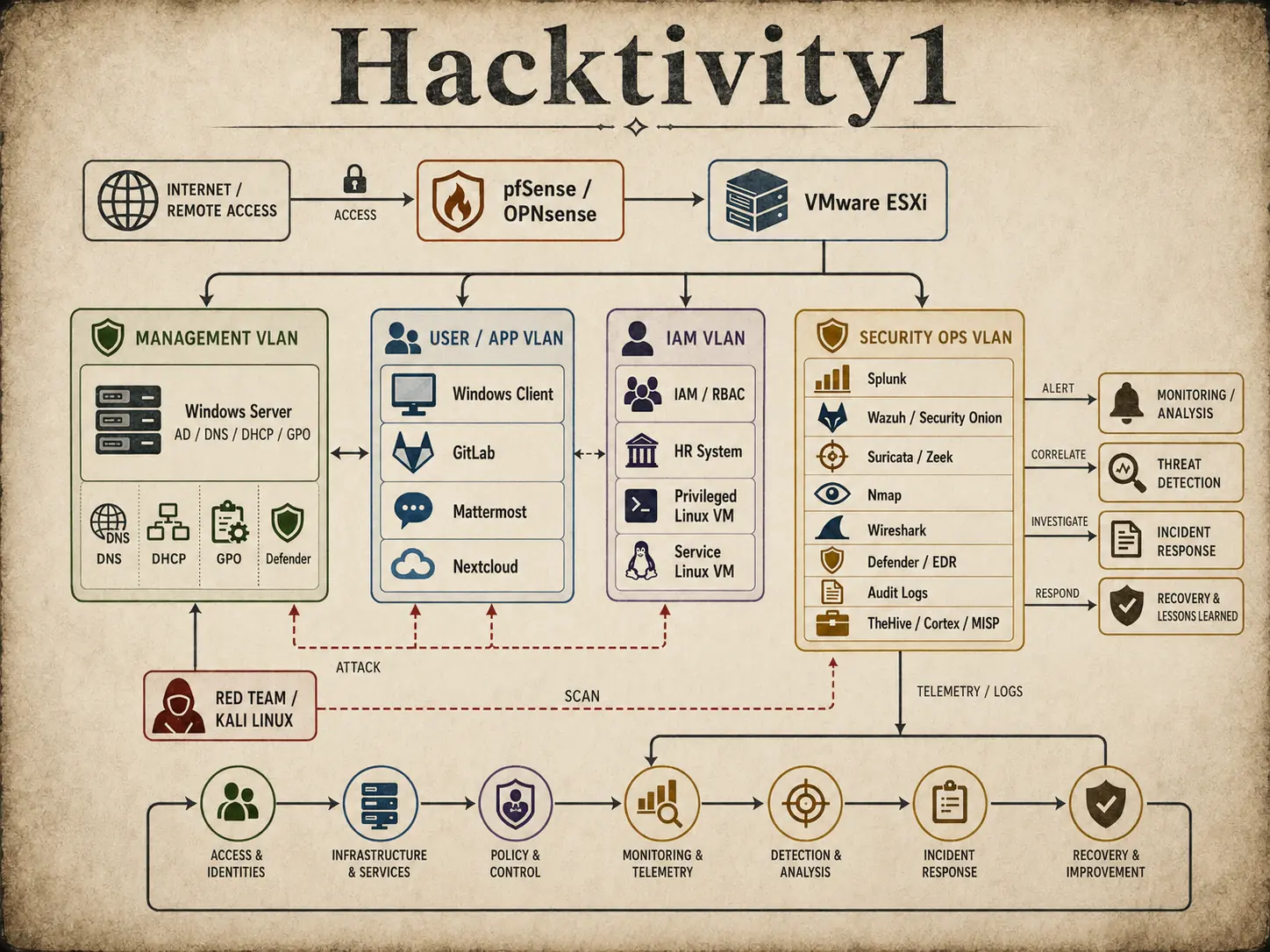
Connected Hacktivity1 cyber range architecture
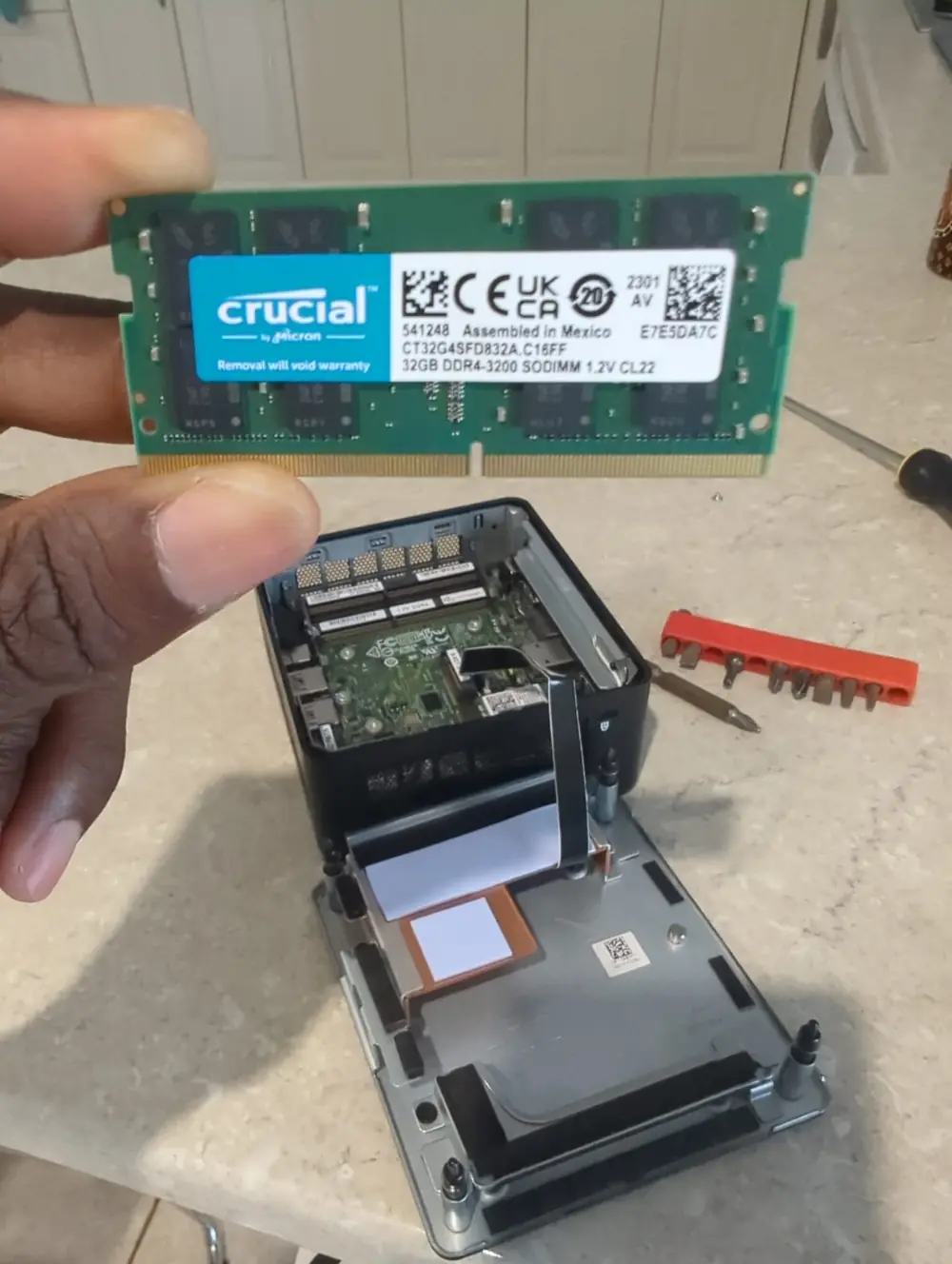
Installing memory into compact homelab hardware before configuring the cyber security range
Practical work begins with the machine that will host the environment.

Stage zero: the physical build

Before the first virtual machine, understand the host beneath it.

Depending on the learner's setup, the journey can begin with preparing a compatible small-form system, checking storage and networking, installing memory and configuring the host for virtualisation.

VMware ESXi is installed as a type-1 hypervisor. From there, virtual switches, port groups and segmented networks create the foundation for firewall, server, endpoint, identity and security operations workloads.

Host
Compact homelab hardware or suitable equivalent
Hypervisor
VMware ESXi running directly on the hardware
Gateway
pfSense or OPNsense with routed and segmented networks
Access
Controlled local or remote administration

Three connected chapters

Build the enterprise. Make it observable. Put it under pressure.

The diagrams below are not decorative concepts. Together they describe the environment used to teach infrastructure, identity, monitoring, offensive activity and incident response as one system.

01

Core infrastructure

Give the organisation a network, domain and working services.

Configure pfSense or OPNsense as the firewall and gateway. Build VLANs for management and user workloads. Deploy Windows Server with Active Directory Domain Services, DNS, DHCP, Group Policy and Microsoft Defender. Join a Windows client and add realistic services such as GitLab, Mattermost and Nextcloud.

  • Firewall rules, NAT, VPN, IDS or IPS and segmentation
  • Domain services, endpoint policy and application access
  • Windows and Linux workloads that produce useful activity
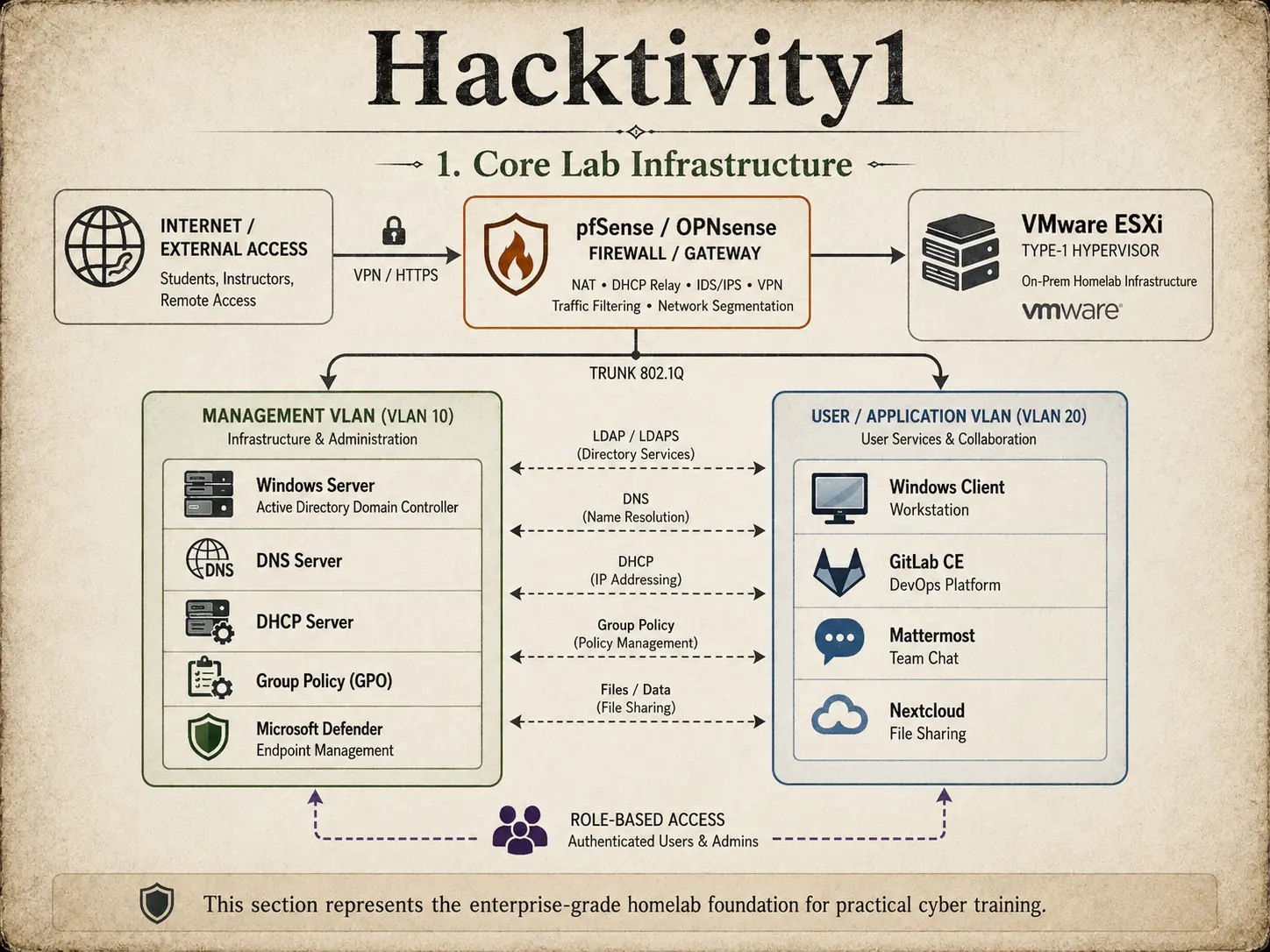
Core cyber range infrastructure with firewall, VMware ESXi, Windows Server and user applications
Field plate 01Core lab infrastructure
02

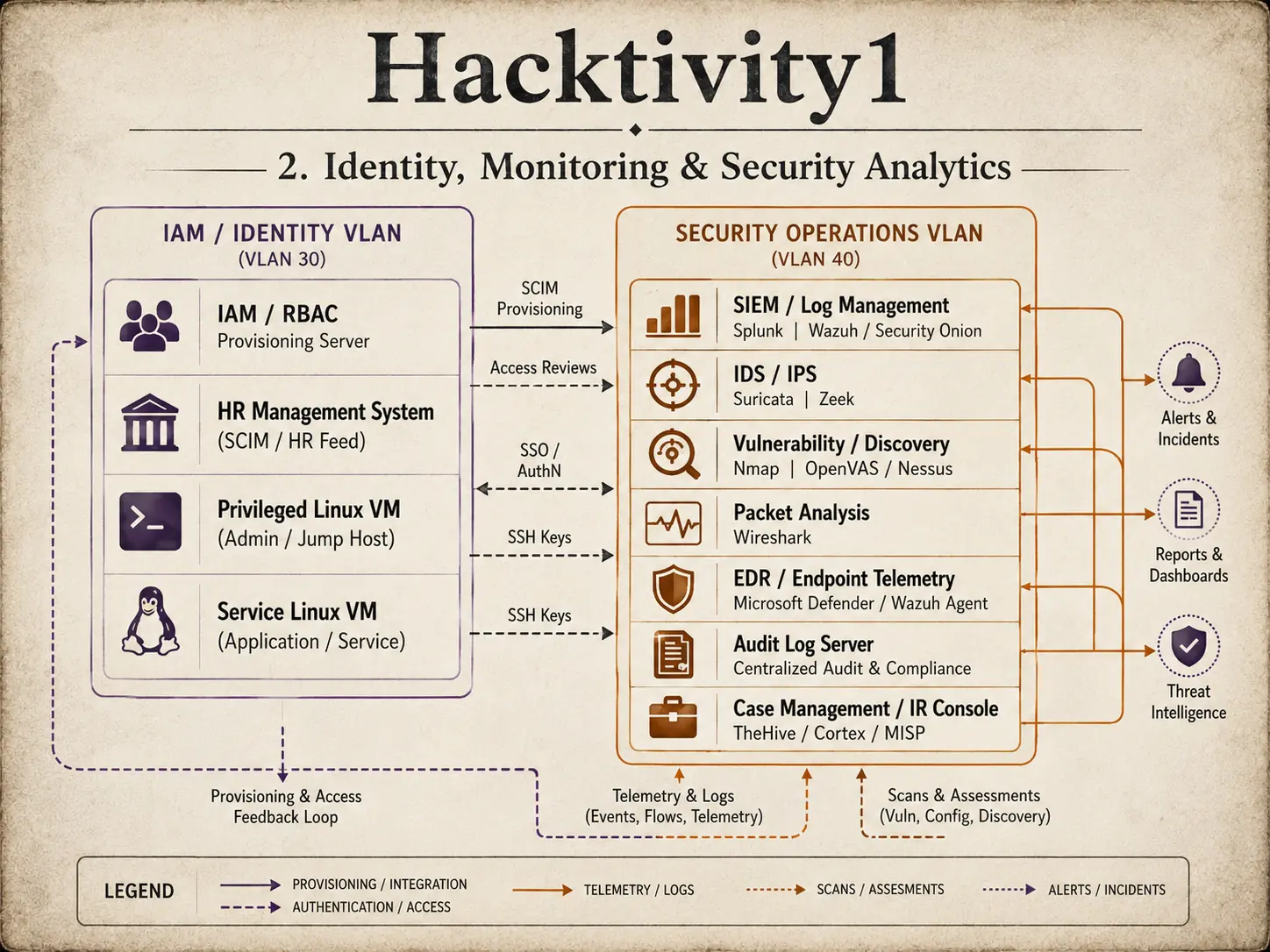
Identity, monitoring and analytics

Connect people, access and telemetry to the same source of truth.

Link an HR management source to identity provisioning and role-based access. Create joiner, mover and leaver workflows. Apply SSO, MFA, privileged access and access reviews. Then centralise the evidence those systems produce.

Windows events, Defender telemetry, firewall records, Linux audit events and application logs can be forwarded to Splunk, Wazuh or Security Onion. Learners search, correlate and analyse what happened rather than relying on a single alert.

  • HR-driven provisioning, IAM, RBAC, SSO and MFA
  • SIEM, IDS or IPS, vulnerability scanning and packet analysis
  • Audit logging, case management and security dashboards
Identity, monitoring and security analytics architecture with IAM, SIEM, EDR and audit logs
Field plate 02Identity, monitoring and analytics
03

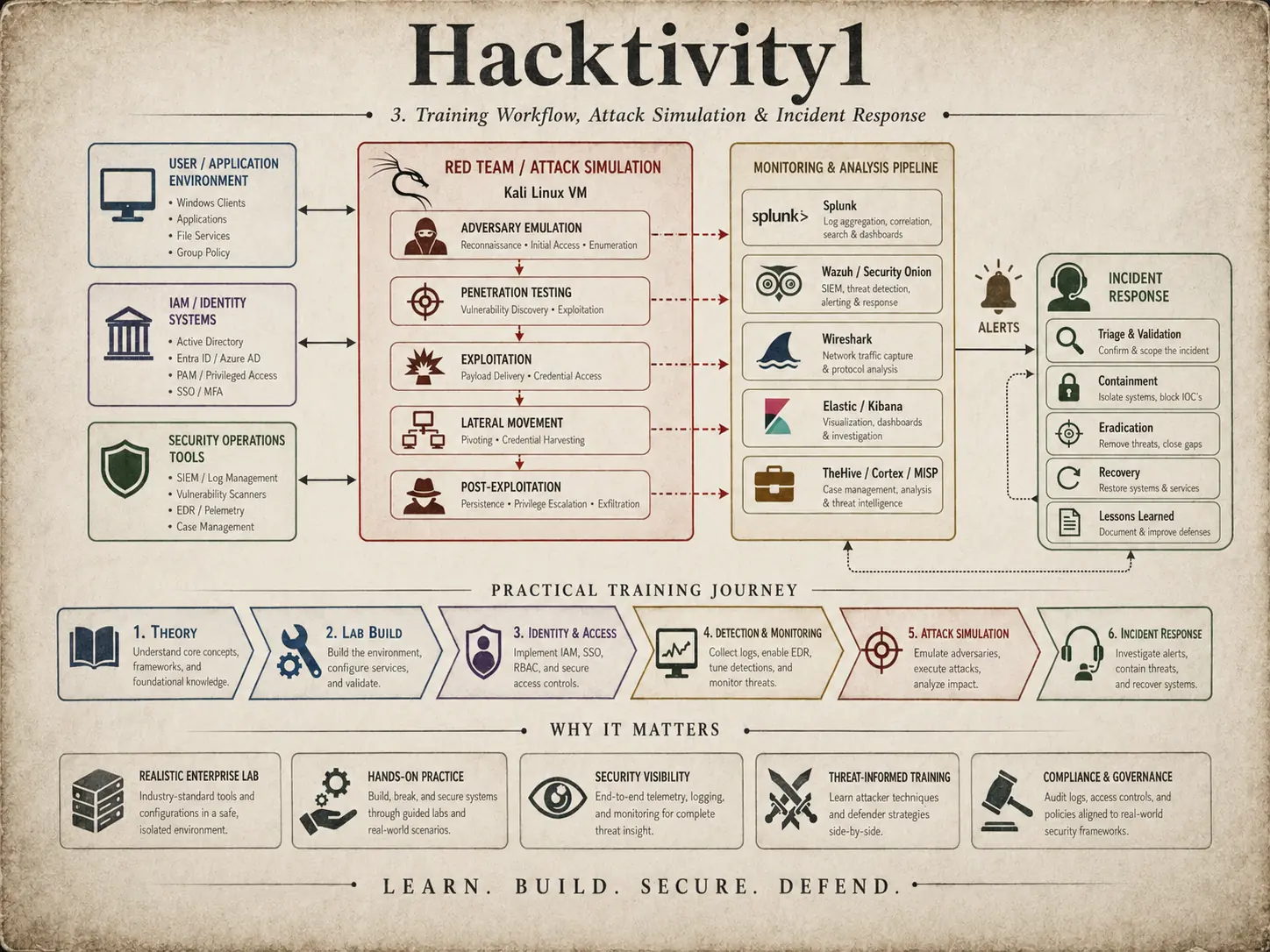
Attack, detection and response

Make the controls prove themselves.

Use an isolated Kali Linux system to conduct authorised reconnaissance, scanning, exploitation and lateral movement. Nmap helps identify the exposed surface. Wireshark reveals network behaviour. Splunk, Wazuh, Security Onion or Elastic show the events and correlations available to defenders.

The exercise continues through alert validation, containment, eradication, recovery and lessons learned. Red and blue activity becomes one narrative rather than two disconnected demonstrations.

  • Controlled adversary emulation inside an isolated range
  • Alert triage, packet analysis and incident investigation
  • Containment, recovery, reporting and control improvement
Cyber security training workflow connecting attack simulation, monitoring and incident response
Field plate 03Attack, detection and response

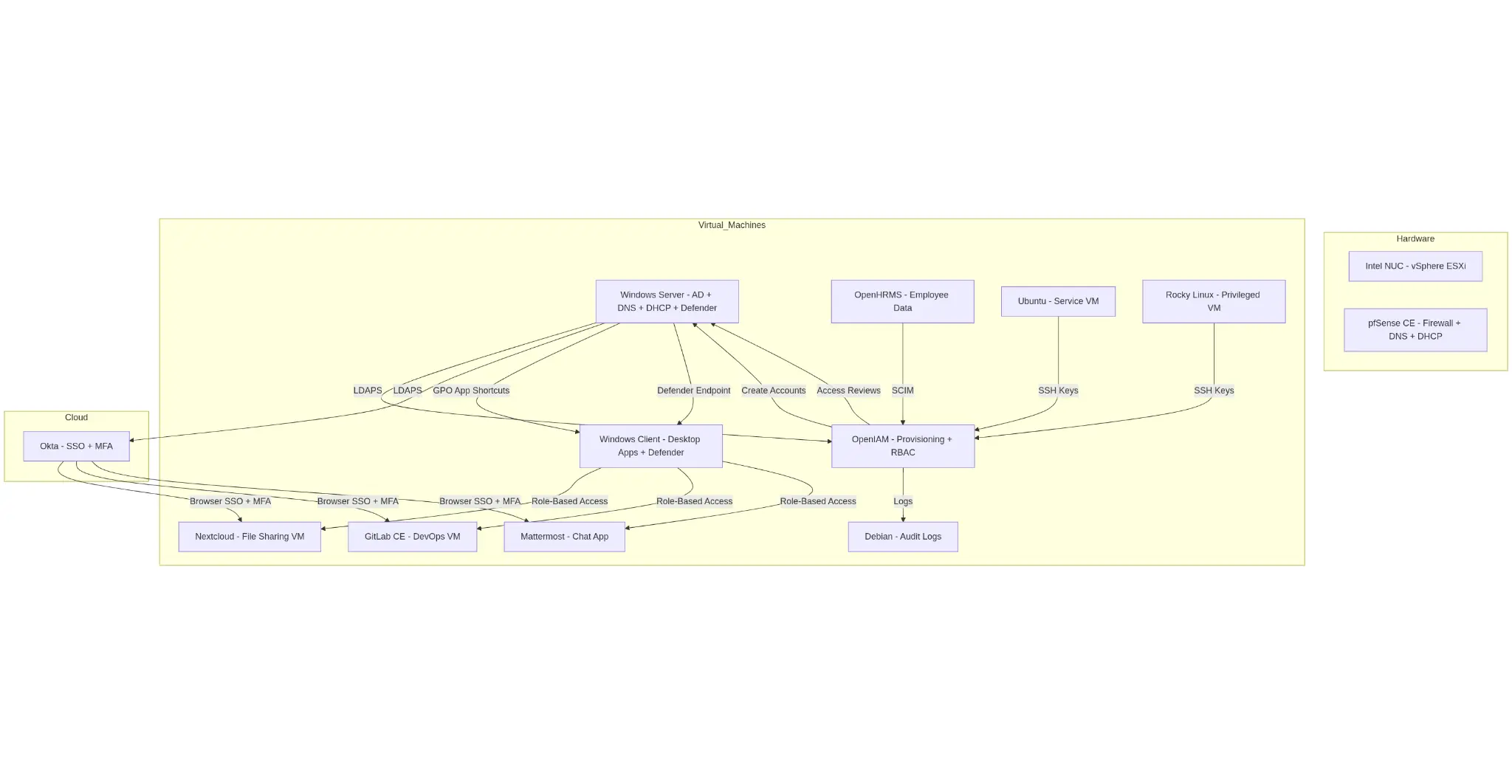
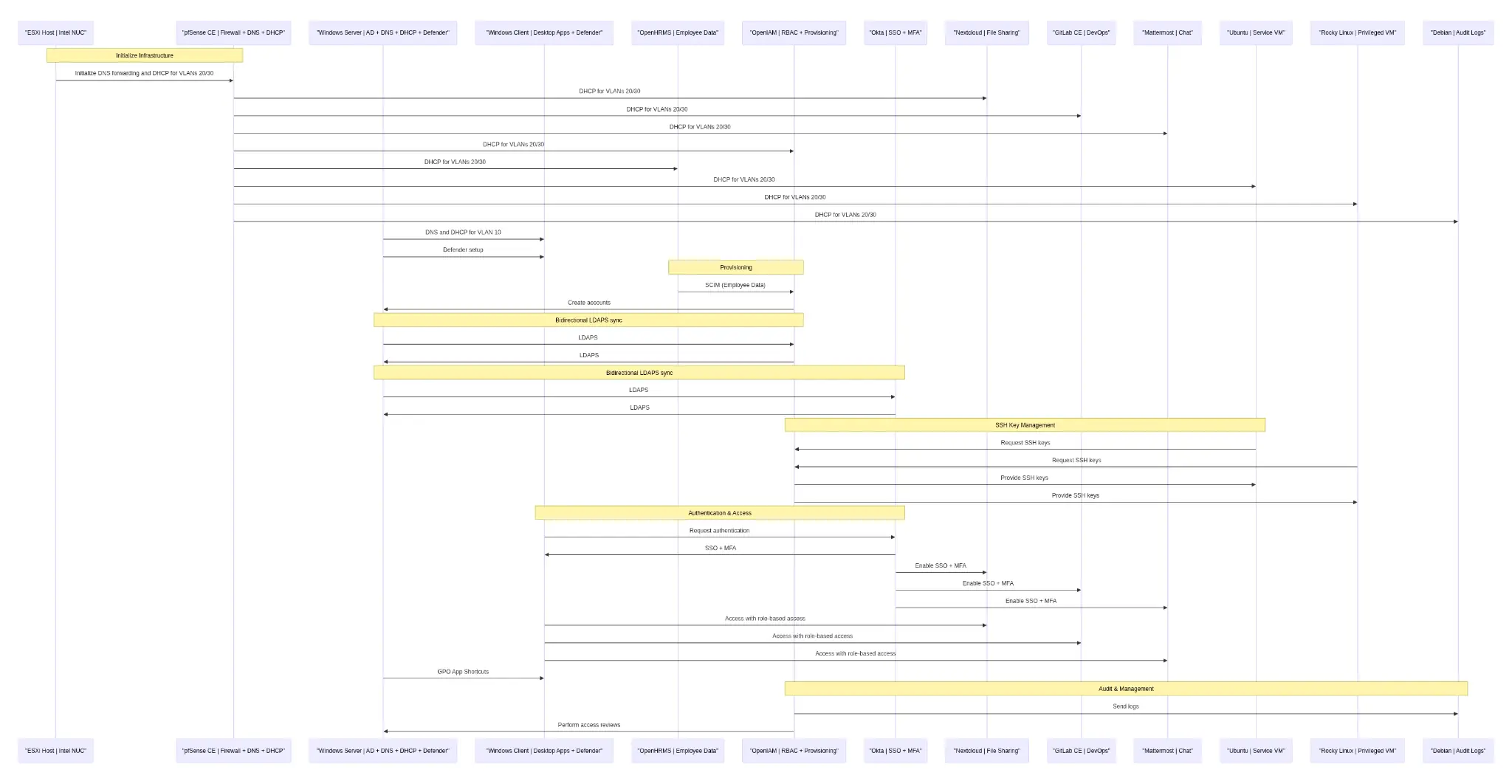
Technical reference

Look beneath the simplified story.

These reference views expose the denser system relationships and service flows used when learners are ready to examine dependencies in more detail.

Detailed virtual machine, identity and service topology for the Hacktivity1 cyber range
System topologyVirtual machines, cloud identity, applications and audit services.
Detailed sequence flow showing provisioning, authentication, access and log movement
Service sequenceProvisioning, authentication, access, SSH keys and audit data.

Build understanding from the infrastructure up

Ready to stop treating the lab like a black box?

Tell us what hardware and experience you already have. We will discuss a practical starting point and the role outcomes you want to pursue.

Discuss your setup