

Practical cyber security training

Training that begins where theory usually ends.

Learn the essential concepts, then build a connected enterprise-style environment and use it. Configure the network. Create the domain. Provision identities. Collect the logs. Test the controls. Investigate what happened.

Format
One-to-one and small group instruction
Environment
A connected enterprise homelab
Outcome
Capability you can explain and repeat
Cyber security instructor guiding a learner through security monitoring dashboards in a realistic operations environment.
From telemetry to decision Learn inside the kind of system you will be expected to understand.
The training problem

Knowing the definition is not the same as doing the work.

Cyber security theory matters. The problem begins when a course treats theory as the destination and leaves learners to bridge the operational gap alone.

Traditional training

The concept is explained. The system remains distant.

Learners can repeat terminology but may still hesitate when asked to configure a control, trace an event or explain why one system depends on another.

  • Passive instruction dominates the learning time
  • Tools appear as disconnected demonstrations
  • Labs hide the infrastructure underneath the exercise
  • Confidence drops when the scenario changes
Hacktivity1 approach

Build the context. Use the tools. Defend the decision.

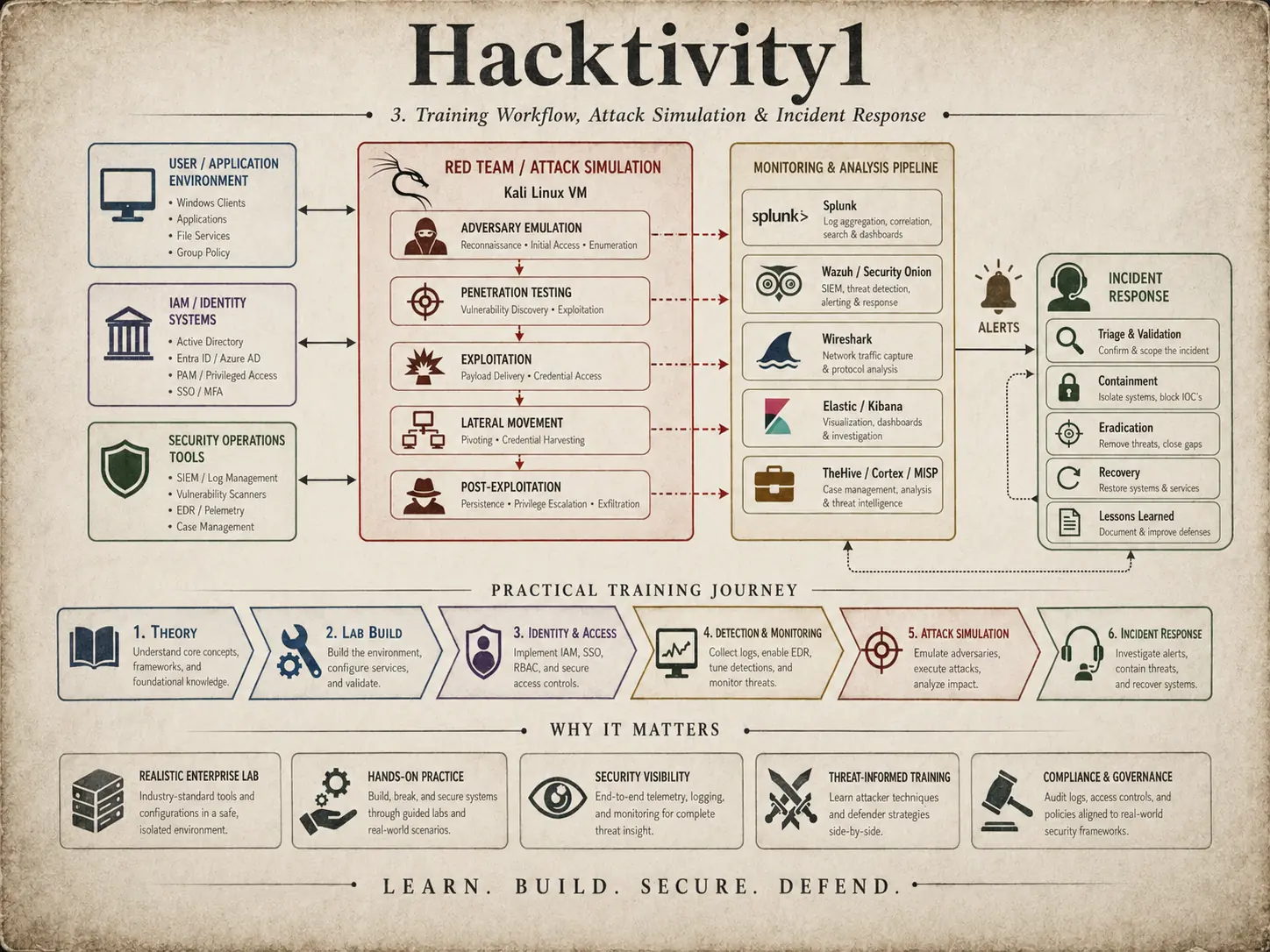
Important theory is taught first, then tested through configuration, troubleshooting, attack simulation, monitoring, investigation and reporting.

  • Build the environment from the hypervisor upward
  • Connect identity, endpoints, applications and logs
  • Use the same environment for attack and defence
  • Explain the evidence, action and business impact
Our practical path
LearnUnderstand the key theory
BuildConfigure the lab environment
BreakRun authorised attack scenarios
DetectCollect, monitor and analyse
RespondContain, recover and improve
SucceedApply the capability with confidence
A real environment teaches relationships that an isolated exercise cannot.
Role-focused paths

Choose the work you want to become capable of doing.

The paths are organised around responsibilities found across cyber security teams. Learners can build a focused route or combine paths to understand how attack, defence, governance and leadership affect one another.

01 / Blue Team

Defensive security

Collect real telemetry, investigate suspicious activity and move from an alert to a documented response inside the lab you helped build.

  • SOC Analyst
  • Cyber Security Analyst
  • Incident Responder
  • Detection Engineer
Examine this path
02 / Red Team

Offensive security

Learn how attackers discover and move through systems, then convert each technique into evidence that defenders can detect and address.

  • Penetration Tester
  • Red Team Operator
  • Ethical Hacker
  • Vulnerability Assessor
Examine this path
03 / Management

Security management

Turn technical evidence into priorities, decisions, operational plans and clear communication for teams and stakeholders.

  • Cyber Security Manager
  • Information Security Manager
  • Security Operations Manager
  • Incident Response Manager
Examine this path
04 / GRC

Governance, risk and compliance

Connect policies and controls to the systems, identities, logs and review evidence that show whether a requirement is working.

  • GRC Analyst
  • Cyber Risk Analyst
  • Security Compliance Analyst
  • IT Auditor
Examine this path
One connected range

From bare metal to an incident worth investigating.

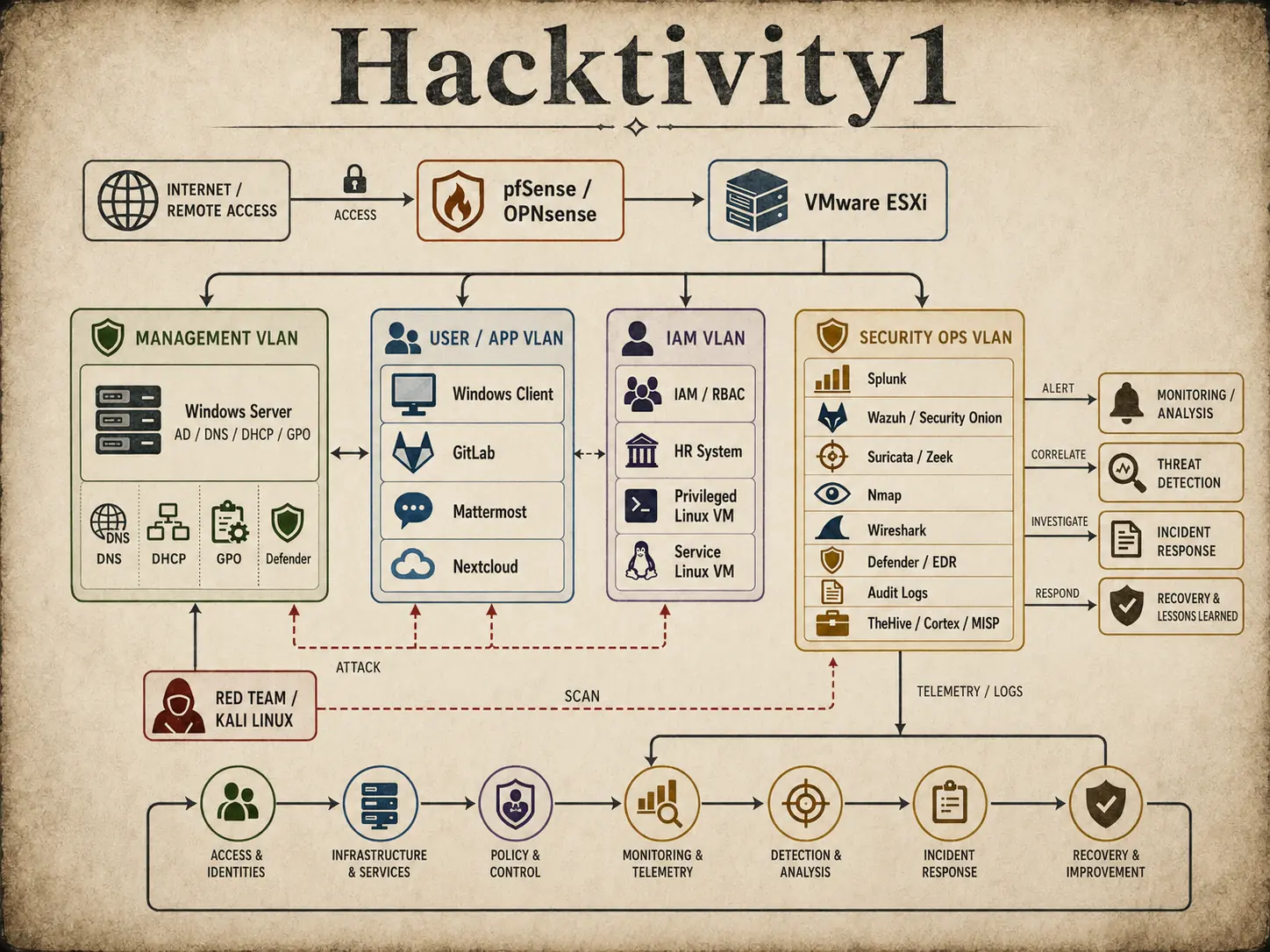
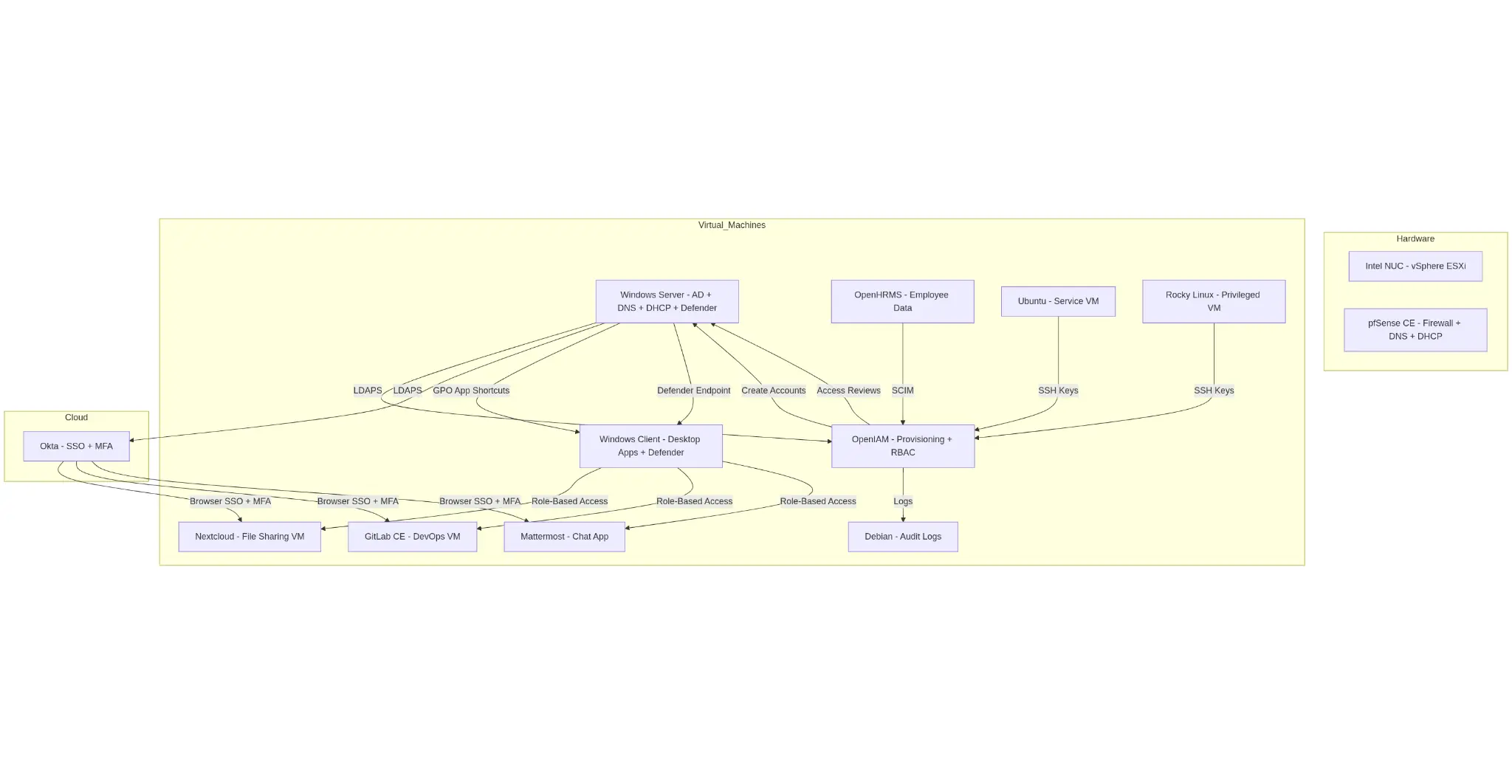
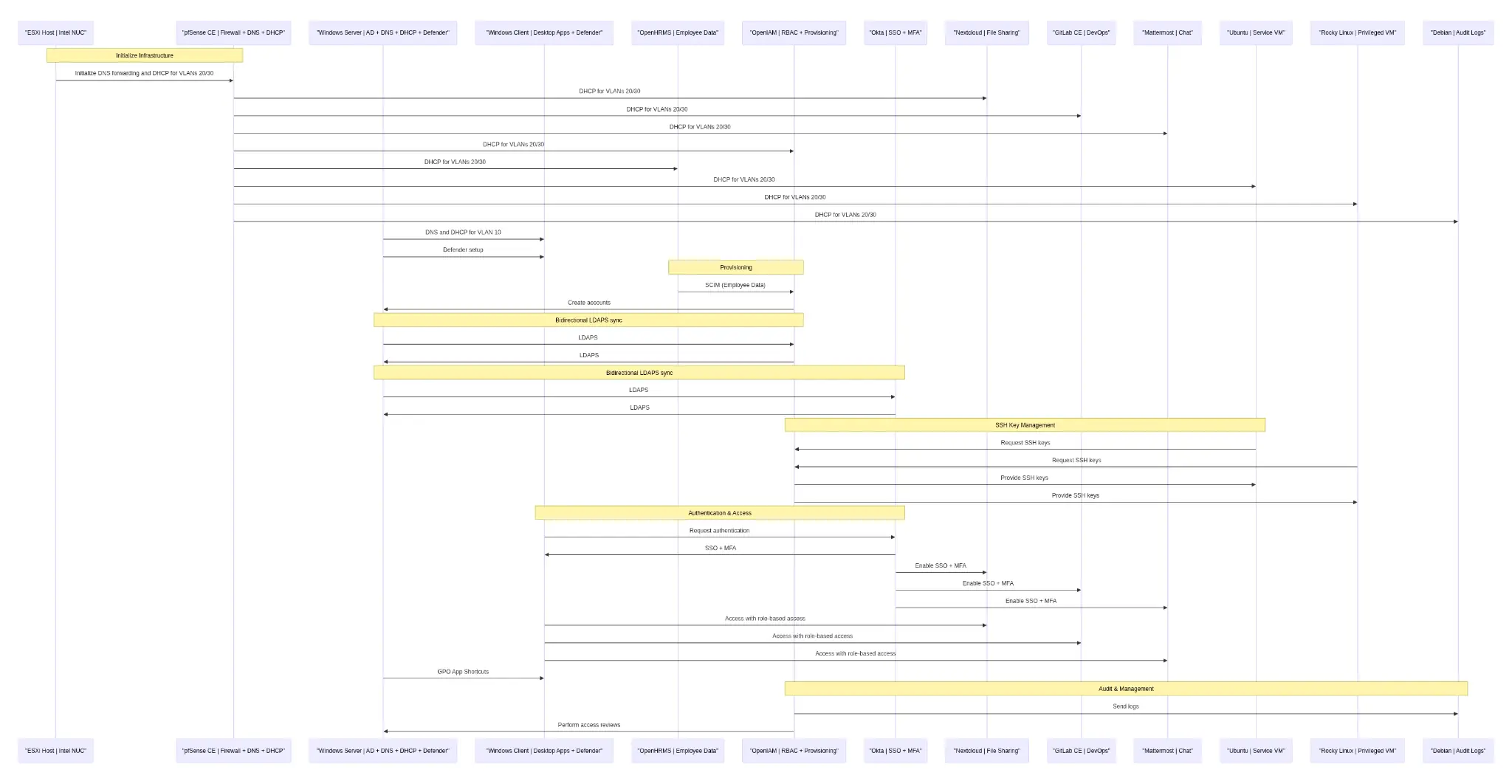
The lab connects network segmentation, Windows and Linux systems, identity, business applications, security tooling and controlled attack activity. Learners see where evidence originates and how it moves.

Connected Hacktivity1 enterprise homelab from network access and identity through security operations, attack simulation and recovery.
The stack you assemble

Six layers. One coherent environment.

01 / Foundation

Hypervisor and network

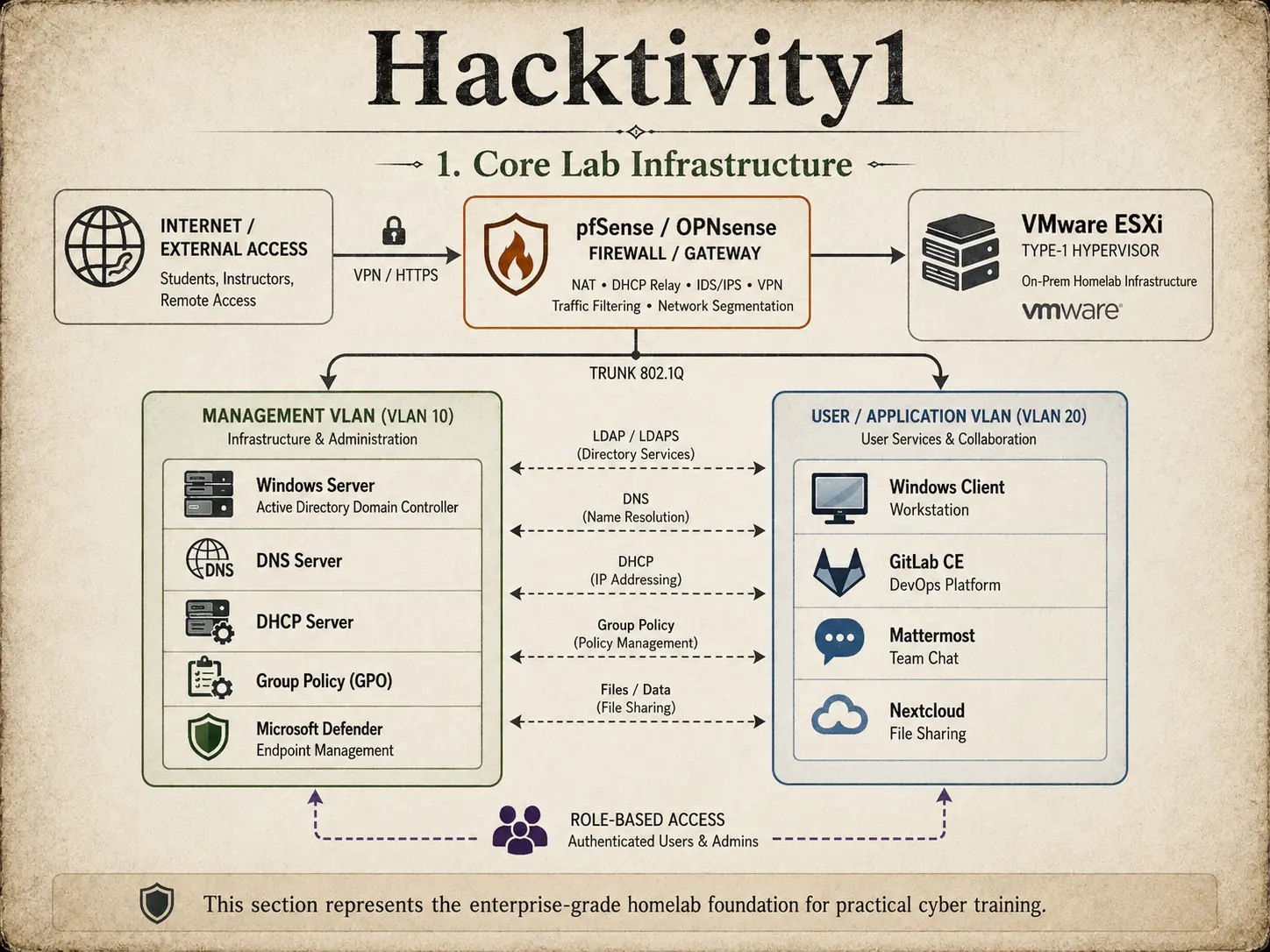
Prepare compatible hardware, install VMware ESXi and configure pfSense or OPNsense, VLANs, routing, DNS and DHCP.

02 / Directory

Windows domain

Build Active Directory Domain Services, create DNS and Group Policy, join endpoints and manage the environment as a connected estate.

03 / Identity

Joiner, mover, leaver

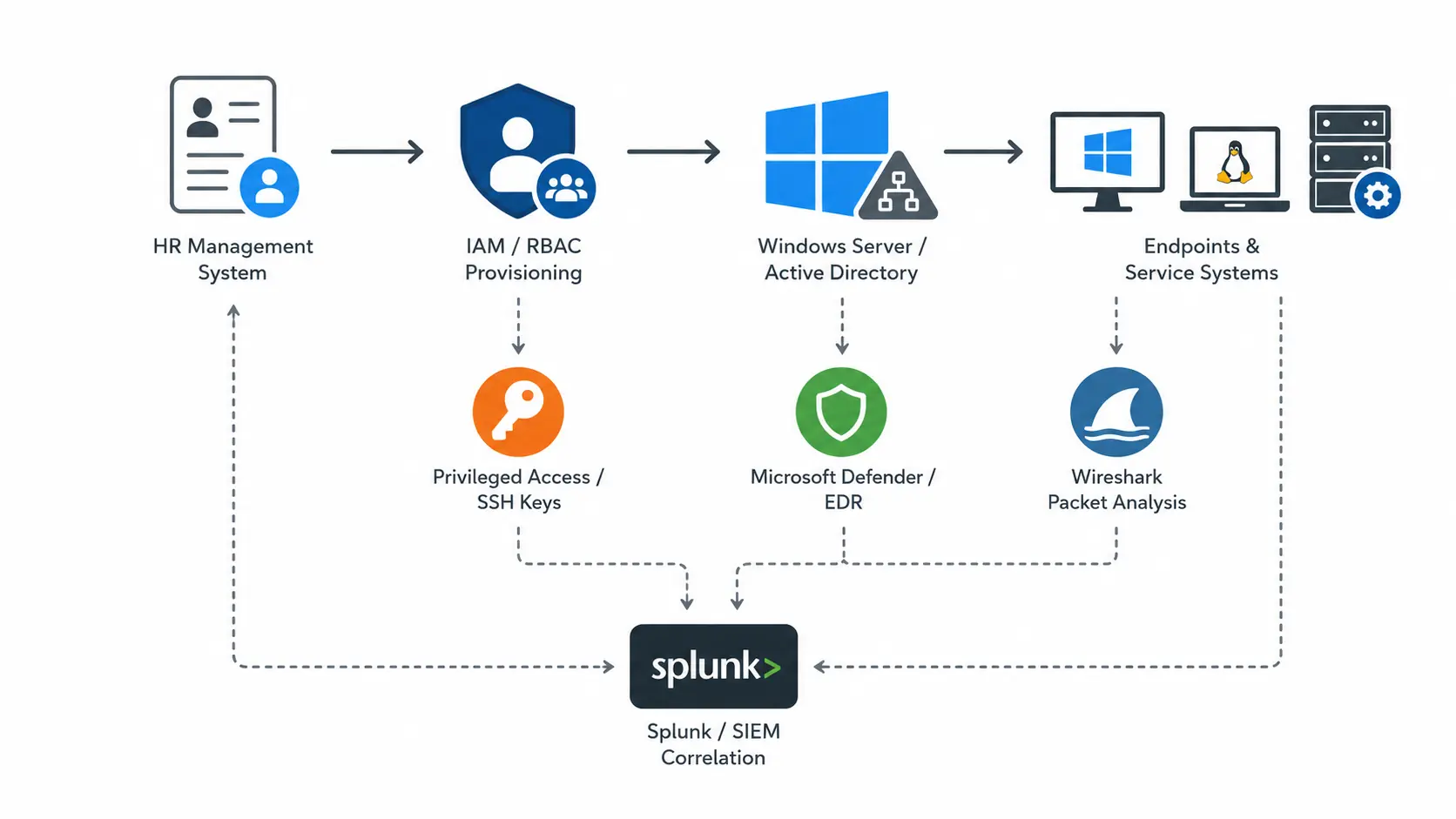
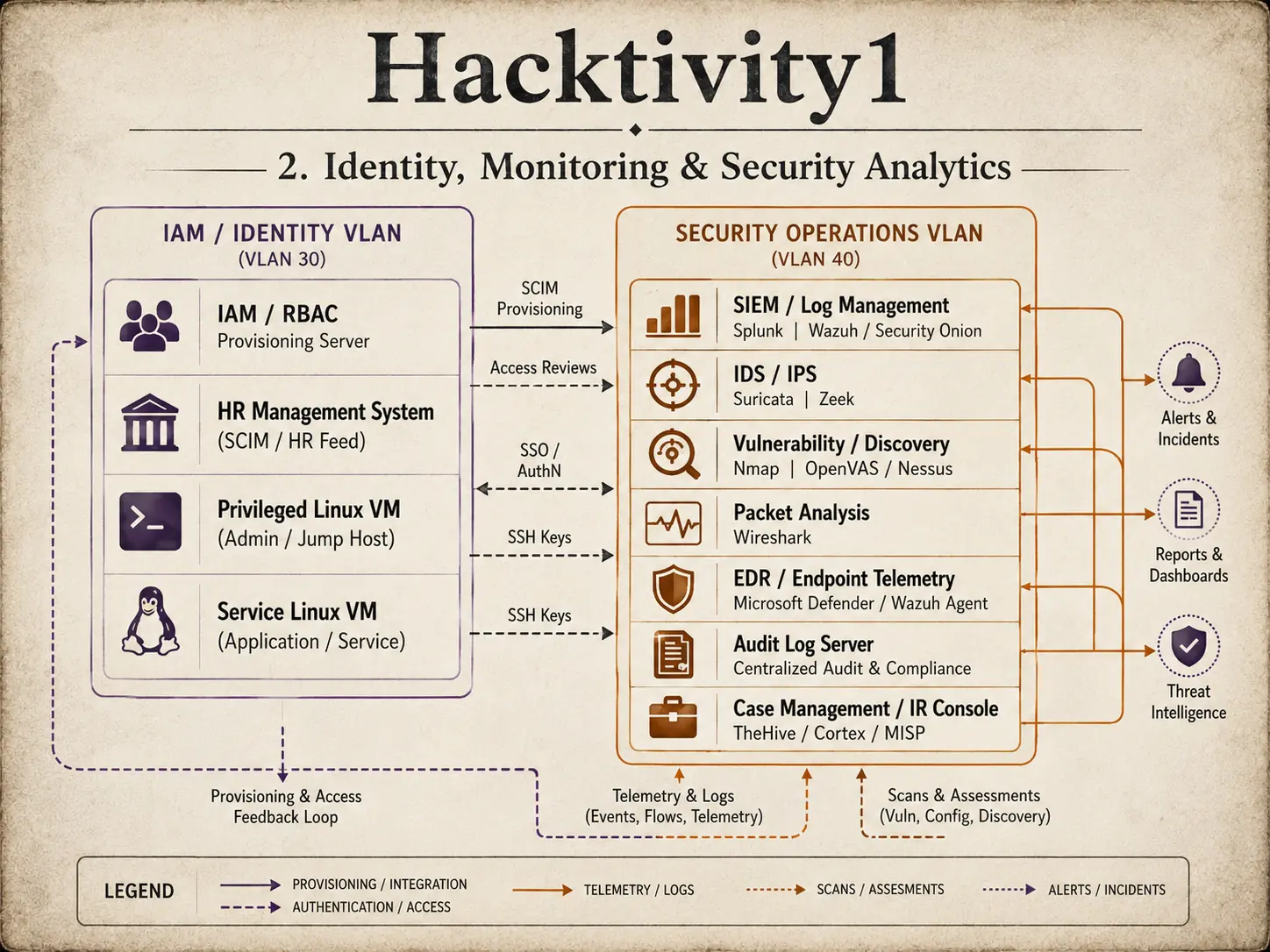
Connect an HR data source to identity provisioning, role-based access, SSO, MFA and access review workflows.

04 / Applications

Business services

Add realistic services such as file sharing, team chat, DevOps tooling and managed Windows or Linux workloads.

05 / Visibility

Logs and telemetry

Collect Windows events, Defender activity, firewall records, Linux audit data and application logs into Splunk, Wazuh or Security Onion.

06 / Response

Attack to recovery

Run controlled tests, investigate the resulting evidence, contain the scenario and document the improvements that follow.

Instructor leading a focused small group through a practical cyber security investigation.
Guided practice with room to ask why, test an assumption and troubleshoot properly.
Instruction with context

Small enough to see where the understanding breaks.

One-to-one and small group sessions let the instructor observe how a learner approaches a problem, not only whether the final answer is correct. Misconfigurations become teaching material. Investigation notes receive feedback. Decisions must be explained.

Read how Hacktivity1 teaches
Start with context

Tell us the role, not only the course name.

We will start with what you want to be able to do, assess the practical gap and discuss a training path that makes sense.

Discuss your training path